Summoners War: Rush
Updated
Current Version
1.3.23449
Offered By

With your passion for Summoners War: Rush, you shouldn’t have to limit yourself to the small screen of a phone. Play like a pro and take full control of the game using a keyboard and mouse. MEmu gives you everything you’re looking for. Download and play Summoners War: Rush on PC. Play as long as you want — no more worries about battery life, mobile data, or unexpected calls. The all-new MEmu 9 is the best way to play Summoners War: Rush on PC. With our expertly designed keymapping system, Summoners War: Rush feels just like a real PC game. The MEmu multi-instance manager lets you run two or more accounts on the same device at the same time. Most importantly, our exclusive emulation engine unlocks your PC’s full potential, delivering smooth and seamless performance.
Show more
Download Summoners War: Rush on PC with MEmu Android Emulator. Enjoy playing on big screen. 《 Game Introduction 》.
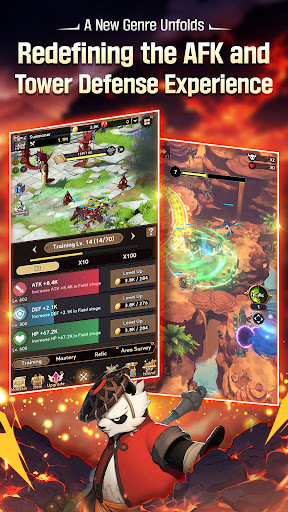
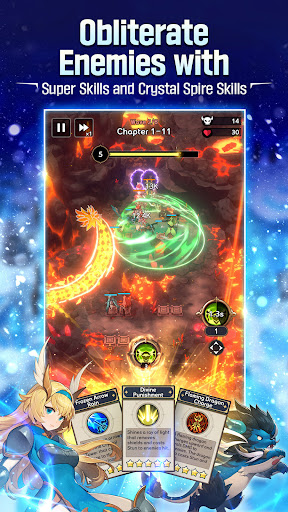
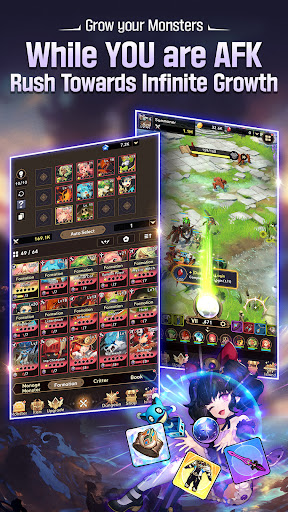
《 Game Introduction 》
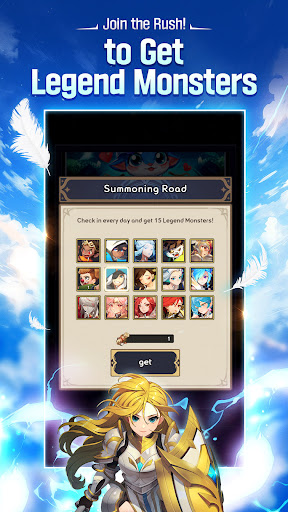
[Legend Monsters Await You]
Participate in the 《Summoning Road》 grand launch event and get 14 Legend Monsters just by logging in.
* Does not include Monsters added after the official launch.
[Experience a New Genre, Idle TD]
Strategic planning meets simplified growth.
Jump into a new experience combining Defense with Idle RPG
[Seamless Monster Growth]
Take a hands-off approach with idle growth.
Kick back and relax as your Monsters grow stronger, even while offline.
[Face a Powerful Foe in Dragon's Nest]
An unforgiving battlefield of lava...
A blood-pumping battle between 25 elite Monsters and a massive dragon.
Unleash your strategic genius and put together your best team!
[Dominate the Battlefield with Defense Exclusive Skills]
Tip the battle in your favor with powerful Ultimates!
Use skills at the perfect timing and location to wipe out hordes of enemies.
[Abundant Content, Unlimited Growth]
Upgrade your Monsters in various ways, including Training, Magic Orb, and Area Survey.
Rush towards a world of unlimited growth!
[Unique Monsters from Summoners War]
Collect unique Monsters and build your team.
Try your hand at obtaining special Light and Dark Monsters too!
Countless companions are waiting to join you on your journey!
***
[App Permissions]
We request access permissions to provide the following services when using this app:
1. (Optional) Storage (Photos/Media/Files): We request permission to use storage for downloading and storing game data.
- For Android 12 and below
2. (Optional) Notifications: We request permission to publish notifications related to the app's services.
3. (Optional) Nearby Devices: We request permission for Bluetooth usage on some devices.
- BLUETOOTH: Android API 30 and earlier devices
- BLUETOOTH_CONNECT: Android 12
※ Services can still be used without granting optional access permissions, excluding the functionalities associated with those permissions.
[How to Remove Permissions]
You can reset or remove permissions after allowing them as shown below.
1. Android 6.0 or above: Settings 》 Apps 》 Select App 》 Permissions 》 Allow or Remove Permissions
2. Android 6.0 or below: Upgrade the operating system to remove permissions or delete the app
※ If you are using Android 6.0 or below, we recommend that you upgrade to 6.0 or above as you can't change the optional permissions individually.
• Supported Languages: 한국어, English, 日本語, 简体中文, 繁體中文, Deutsch, Français, Español, ไทย
• This app is free-to-play and offers in-app purchases. Purchasing paid items may incur additional fees, and payment cancelation may not be available depending on the type of the item.
• Conditions regarding the usage of this game (contract termination/payment cancelation, etc.) can be viewed in the game or the Com2uS mobile game Terms of Service (available on the website, https://terms.withhive.com/terms/policy/view/M121/T1 ).
• Inquiries regarding the game can be submitted via Com2uS Customer Support 1:1 Inquiry (http://m.withhive.com 》 Customer Support 》 1:1 Inquiry).
***
- Official Brand Site: https://rush.summonerswar.com/
Show more

1. Download MEmu installer and finish the setup

2. Start MEmu then open Google Play on the desktop

3. Search Summoners War: Rush in Google Play
Install
4. Download and Install Summoners War: Rush
5. On install completion click the icon to start

6. Enjoy playing Summoners War: Rush on PC with MEmu
MEmu Play is the best Android emulator and 100 million people already enjoy its superb Android gaming experience. The MEmu virtualization technology empowers you to play thousands of Android games smoothly on your PC, even the most graphic-intensive ones.
Bigger screen with better graphics; Long duration, without limitation of battery or mobile data.
Full Keymapping support for precise control of keyboard and mouse or gamepad.
Multiple game accounts or tasks on single PC at one time with Multi-Instance manager.
Play Summoners War: Rush on PC by following steps: